TenantShield SaaS Starter Kit Documentation
Complete guide to deploy TenantShield: Next.js 16 + Supabase RLS + WORM Audits + Edge Defense.
🔒 Introduction
Welcome to TenantShield — the only Next.js SaaS boilerplate built with strict database-level tenant isolation, compliance audit logs, and edge-native active threat blocking.
Most SaaS kits handle tenancy at the API/application layer. A single forgotten WHERE tenant_id filter can result in a critical data leak. TenantShield enforces security at the **PostgreSQL engine level (FORCE RLS)**, making it virtually impossible to leak cross-tenant data, even if your API code is faulty.
Designed for compliance-heavy sectors (healthcare, law, finance) requiring SOC2, ISO 27001, or GDPR controls out of the box. Saves 3+ months of security engineering.
🛠️ Prerequisites
Before launching, ensure you have active accounts on these platforms:
- Node.js: LTS version 20.x or higher installed.
- Supabase: Free or Pro database project.
- Upstash: Serverless Redis database (for Edge cache).
- Telegram Bot: (Optional) For real-time active defense alerts.
- Vercel Account: For deployment and wildcard subdomain routing.
1. Database Provisioning (Supabase)
TenantShield relies heavily on PostgreSQL schemas, functions, policies, and triggers.
- Create a new project in the Supabase Console.
- Select a region closest to your target audience. Save the database password securely.
- Open the SQL Editor on the sidebar.
- Create a New Query, copy and execute the SQL scripts under the
supabase/folder sequentially (from001_extensions.sqlto009_offboarding.sql). Make sure you run them one after another. - Seed baseline data: Paste the contents of
seed_saas_core.sqlinto the SQL editor and click Run. This sets up default roles, system permissions, and initial test accounts.
Do not run the SQL files in arbitrary order, as tables and functions are heavily interdependent (e.g. 003_auth_rbac.sql needs to run before 006_rls.sql).
2. Provisioning Edge Cache (Upstash Redis)
To support dynamic subdomain checks and threat mitigation at the CDN edge in under 4ms, TenantShield uses Upstash Redis serverless database.
- Log in to the Upstash Console.
- Create a new Redis database:
- Name:
TenantShield-limiter - Region: Matching your Supabase database region (e.g. AWS ap-southeast-1 for Singapore).
- Eviction: Enabled.
- Name:
- Once created, scroll to the REST API section -> Click .env tab -> Copy
UPSTASH_REDIS_REST_URLandUPSTASH_REDIS_REST_TOKEN.
3. Config Telegram Active Defense Alerts
When threat indicators occur (e.g. cross-tenant database bypass attempts or rapid request floods), the active defense middleware routes live notifications to your Telegram channel.
- Search for
@BotFatheron Telegram. - Send
/newbotcommand, give it a name (e.g.SaaS SOC alerts) and a username. Copy the generated HTTP Token. - Find your chat ID by messaging
@userinfobot. Copy the numeric ID returned. - Add these to your environment configuration as
TELEGRAM_BOT_TOKENandTELEGRAM_CHAT_ID.
4. Local Setup & Environment Variables
To run TenantShield locally on your machine:
- Install dependencies:
Note: Thenpm install --legacy-peer-deps--legacy-peer-depsflag resolves peer conflicts under React 19 / Next.js 16. - Create
.env.localby duplicating.env.example:cp .env.example .env.local - Fill in the environment variables:
# SUPABASE CONFIG NEXT_PUBLIC_SUPABASE_URL=https://[your-project-id].supabase.co NEXT_PUBLIC_SUPABASE_ANON_KEY=[your-anon-key] SUPABASE_SERVICE_ROLE_KEY=[your-service-role-key] # REDIS LIMITER & EDGE CACHE UPSTASH_REDIS_REST_URL=https://[your-redis-url].upstash.io UPSTASH_REDIS_REST_TOKEN=[your-redis-token] # SECURITY SECRETS (Generate random 32-character strings) NEXTAUTH_SECRET=a1b2c3d4e5f6g7h8i9j0k1l2m3n4o5p6 CRON_SECRET=cron_secure_secret_token_key_99 REVALIDATE_SECRET=revalidate_secure_token_key_99 # TELEGRAM BOT NOTIFIER TELEGRAM_BOT_TOKEN=[your-telegram-token] TELEGRAM_CHAT_ID=[your-telegram-chat-id] - Start the dev server:
npm run dev - Visit
http://localhost:3000. To mock a tenant locally, append the query parameter:http://localhost:3000?tenant=nexus.
5. Vercel Deployment & Wildcard DNS
Hosting on Vercel is required to leverage Next.js Edge Middleware and dynamic multi-tenant custom domains/subdomains.
- Push the code repository to a private GitHub/GitLab repo.
- Import the repository into Vercel and paste your
.env.localenvironment variables. - Click Deploy.
- Configure Custom Subdomains:
- Go to your Vercel Project -> Settings -> Domains.
- Add your apex domain:
yourdomain.com. - Add wildcard domain:
*.yourdomain.com.
- Set up DNS mapping: Add an A record pointing
@to76.76.21.21and CNAME record pointing*tocname.vercel-dns.comat your DNS provider (e.g. Cloudflare).
🎛️ 6. Admin Control Plane Preview
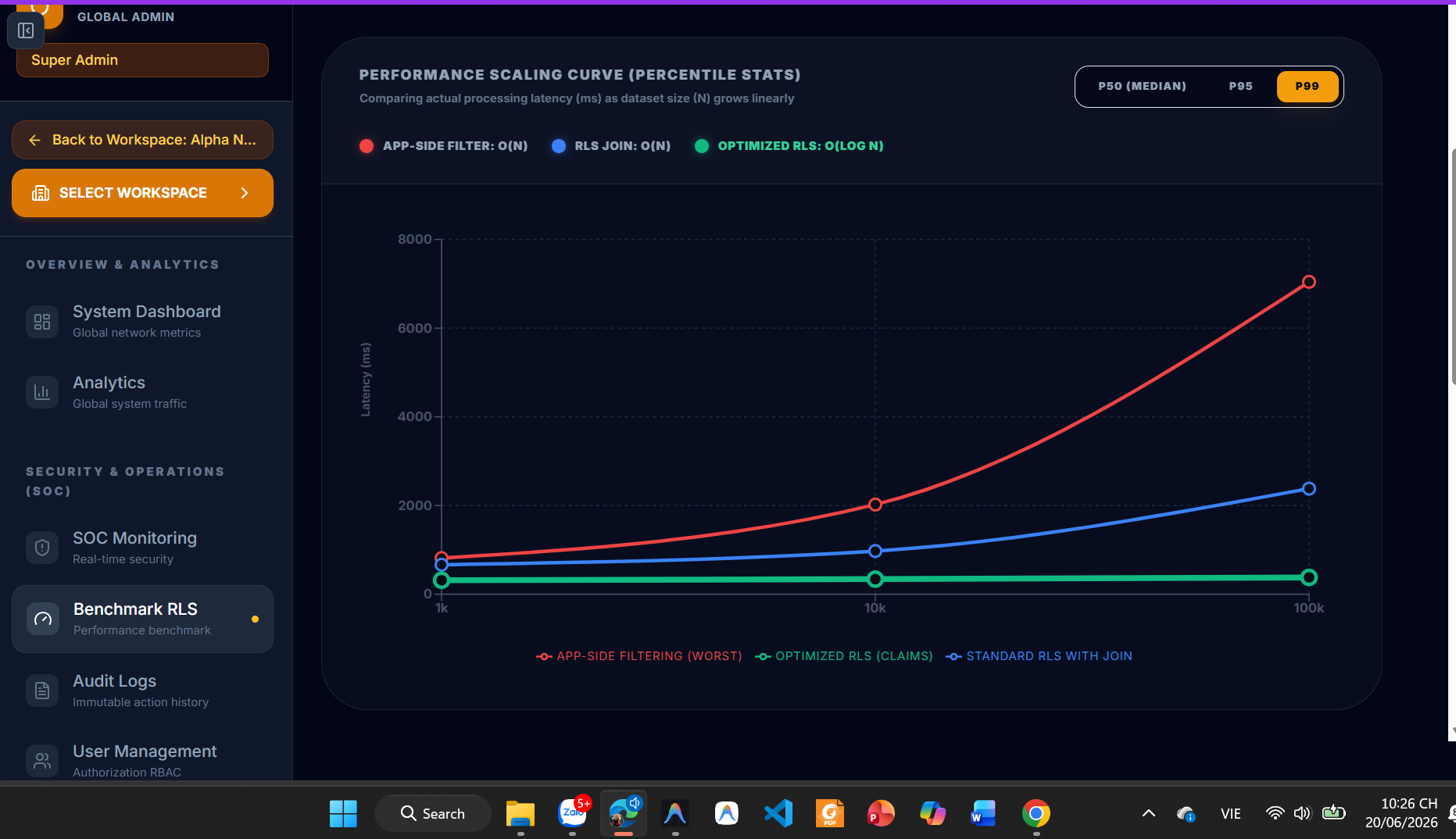
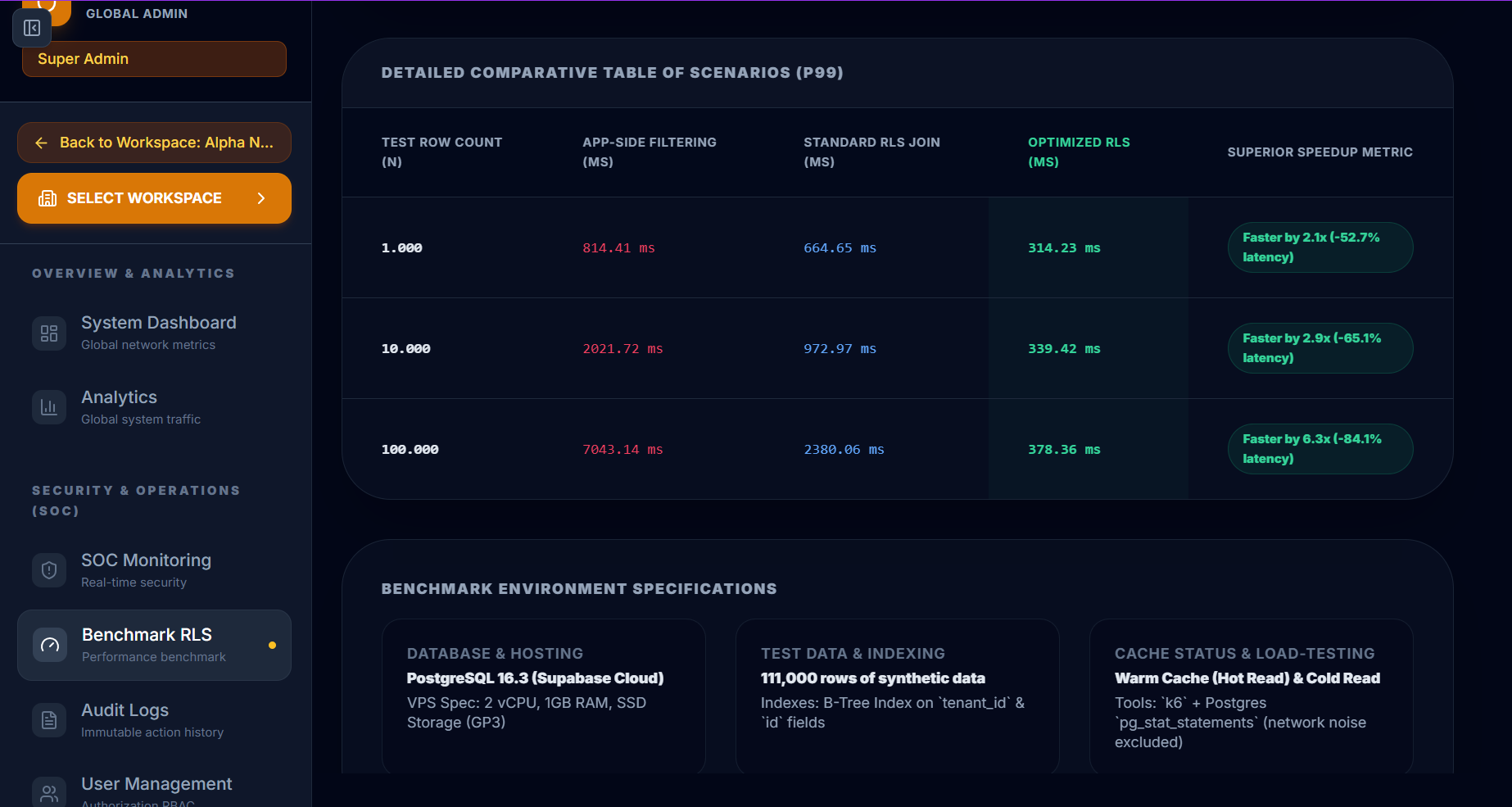
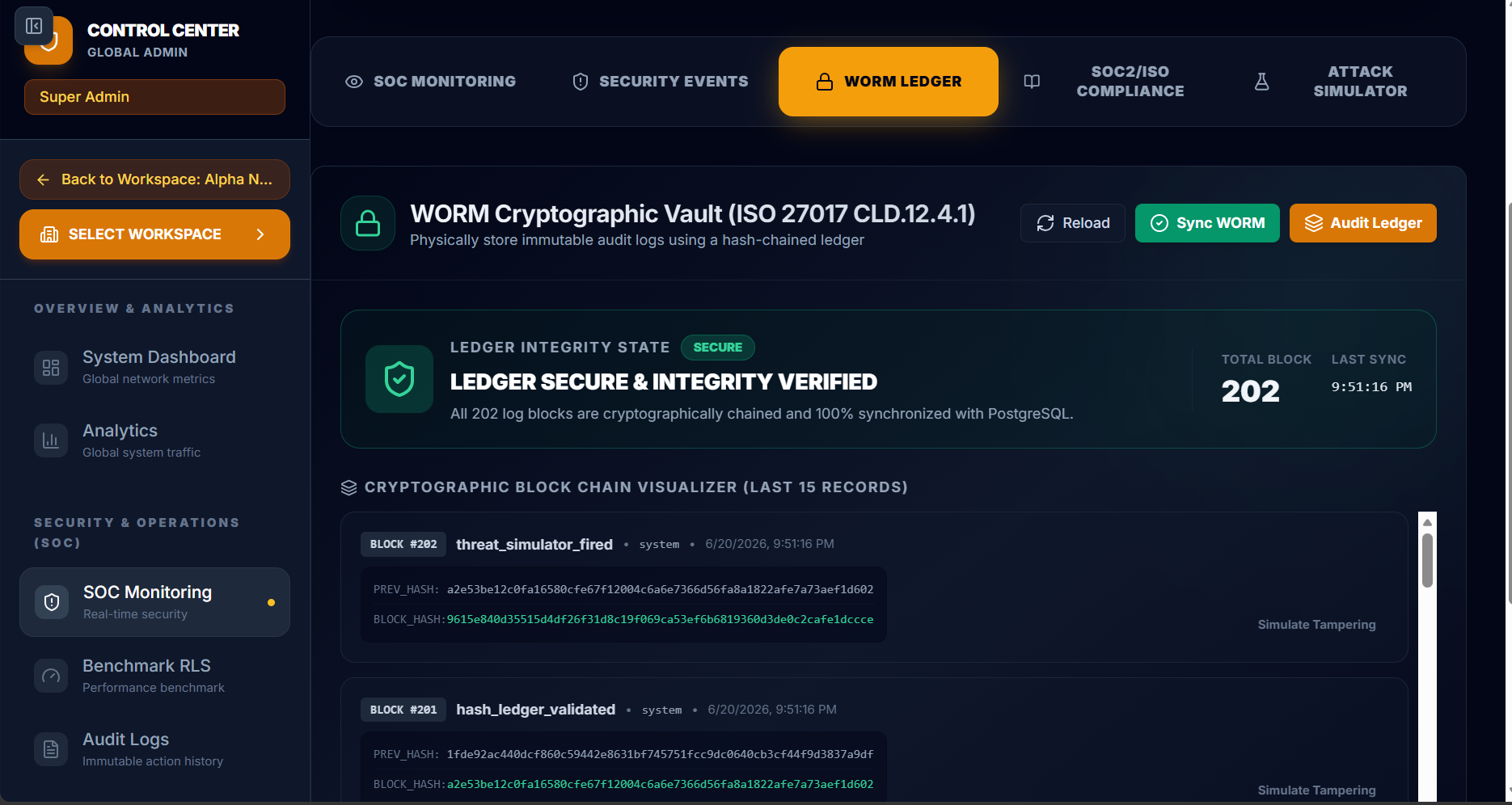
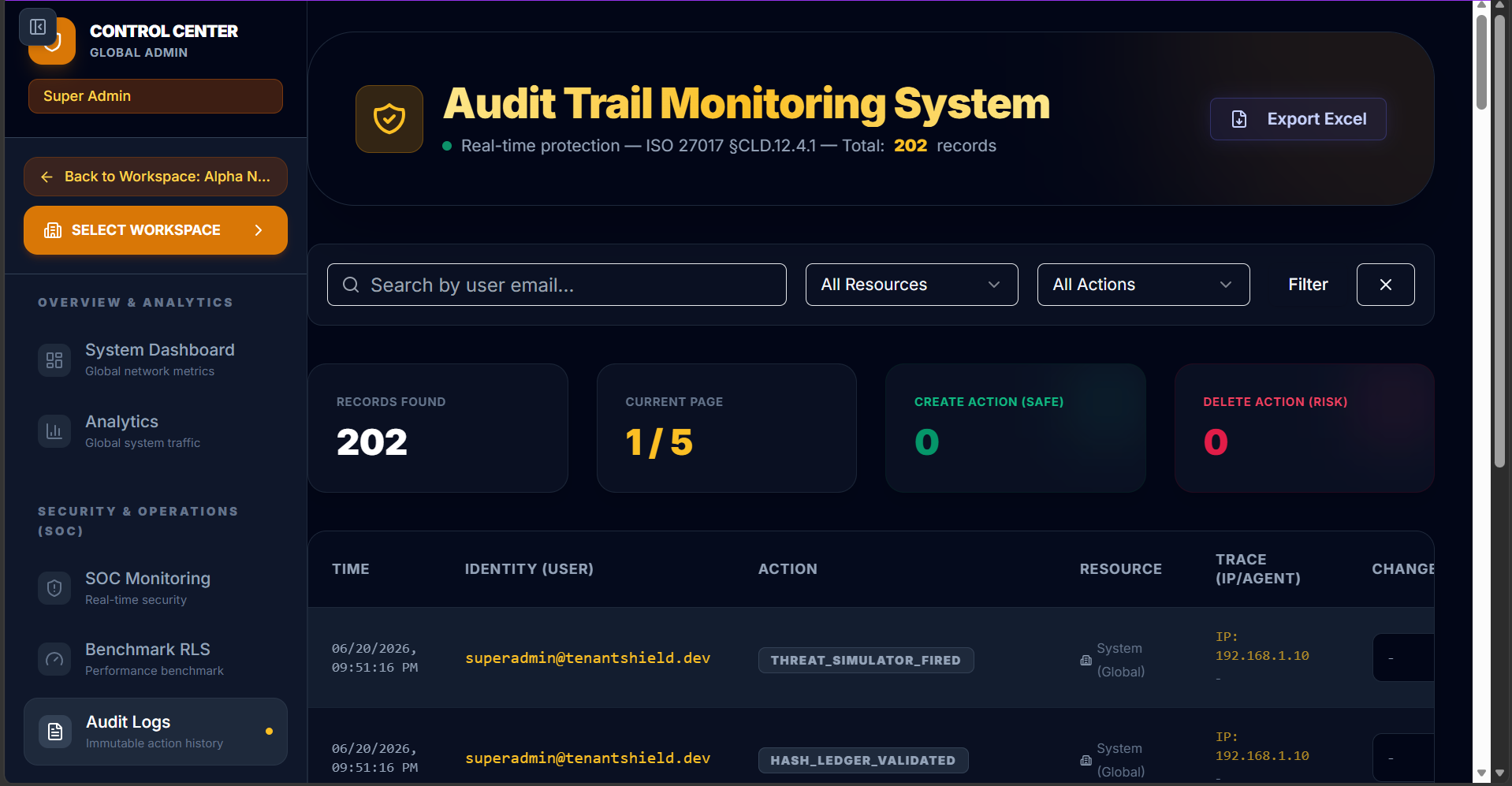
Explore the premium administrative interfaces and capabilities included in TenantShield out-of-the-box. All panels utilize modern Glassmorphism aesthetics with curated dark-mode color palettes.
Watch the live TenantShield Walkthrough and Incident Response Video Demo: Watch on YouTube →
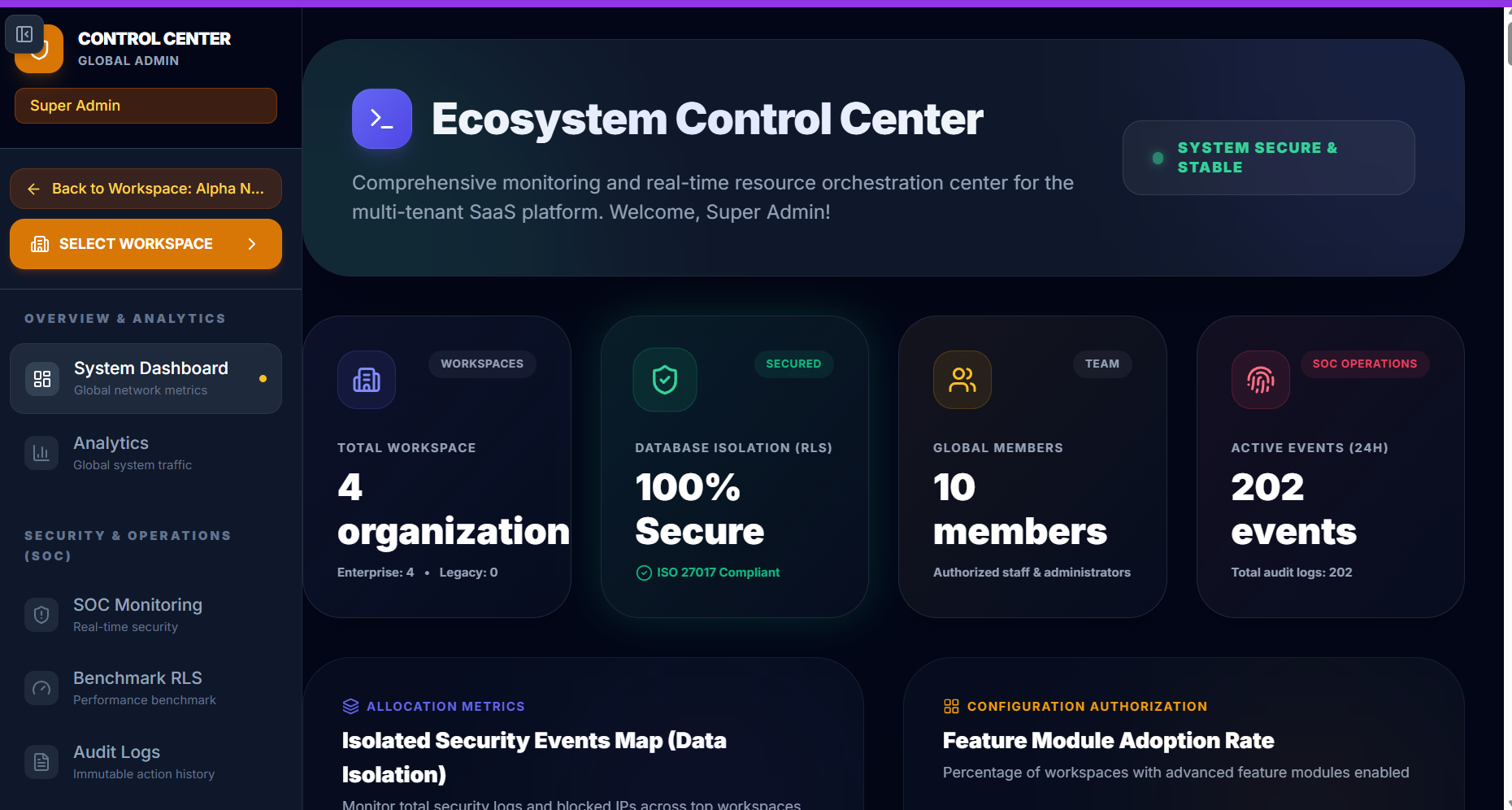
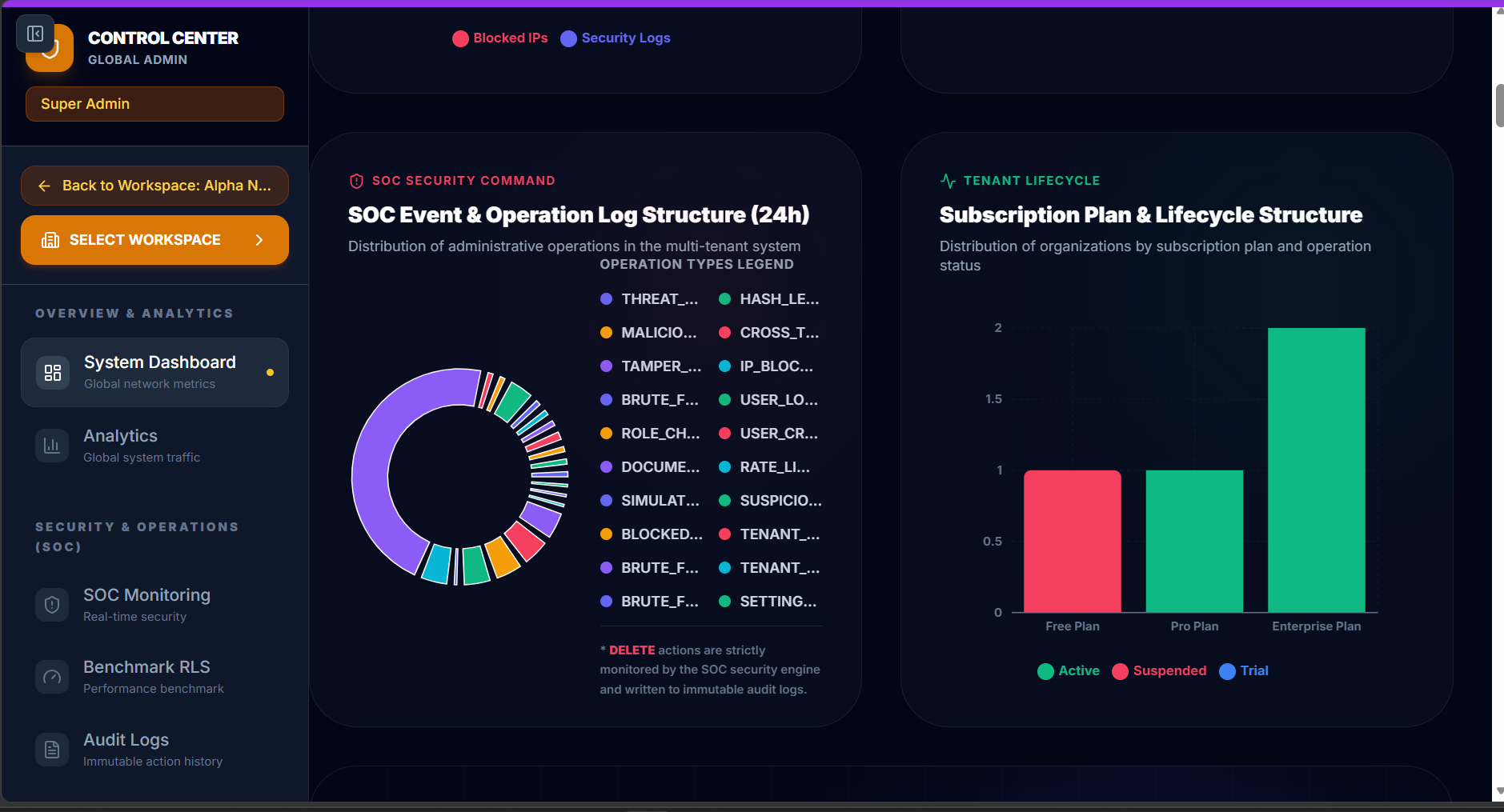
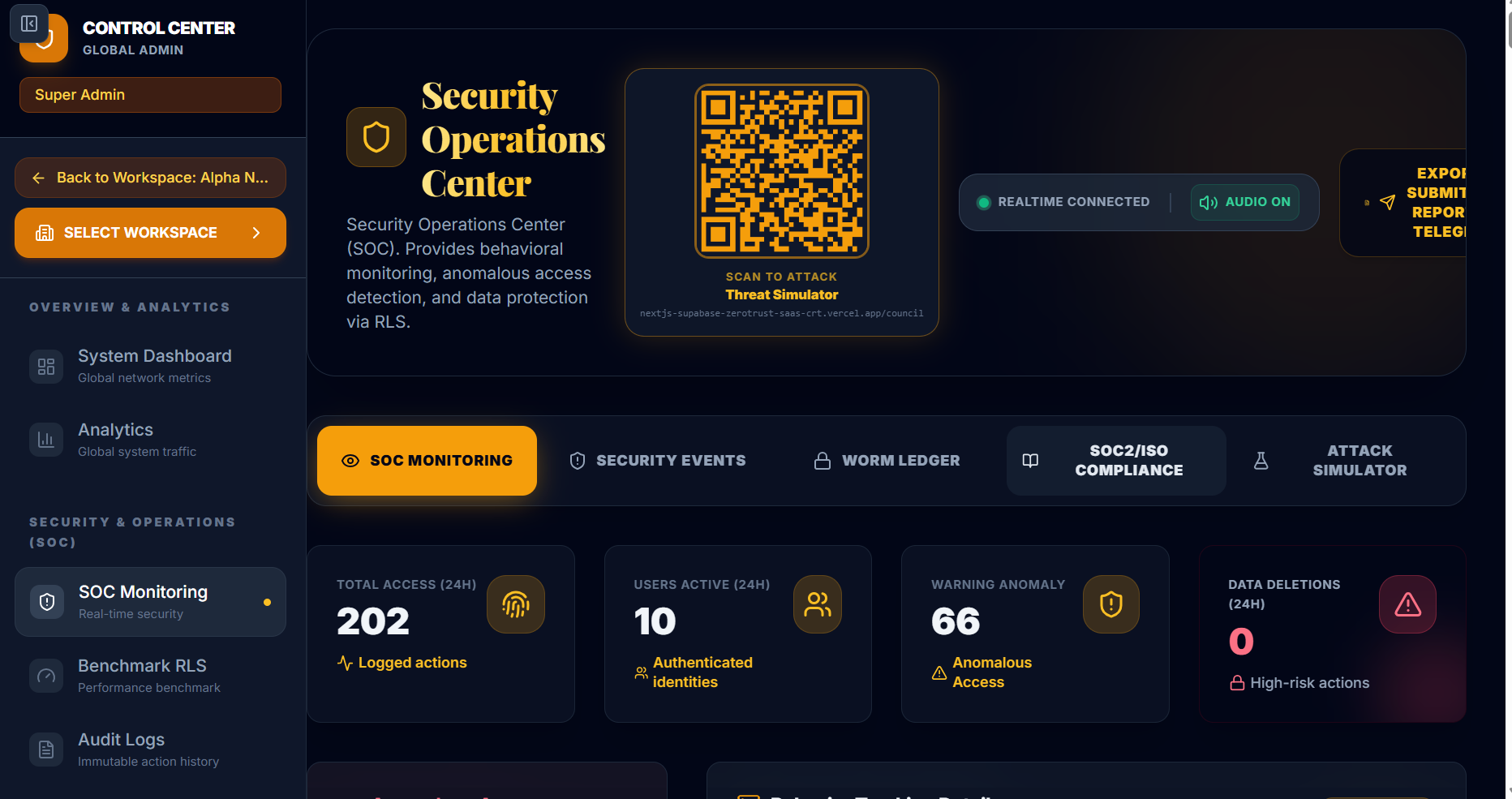
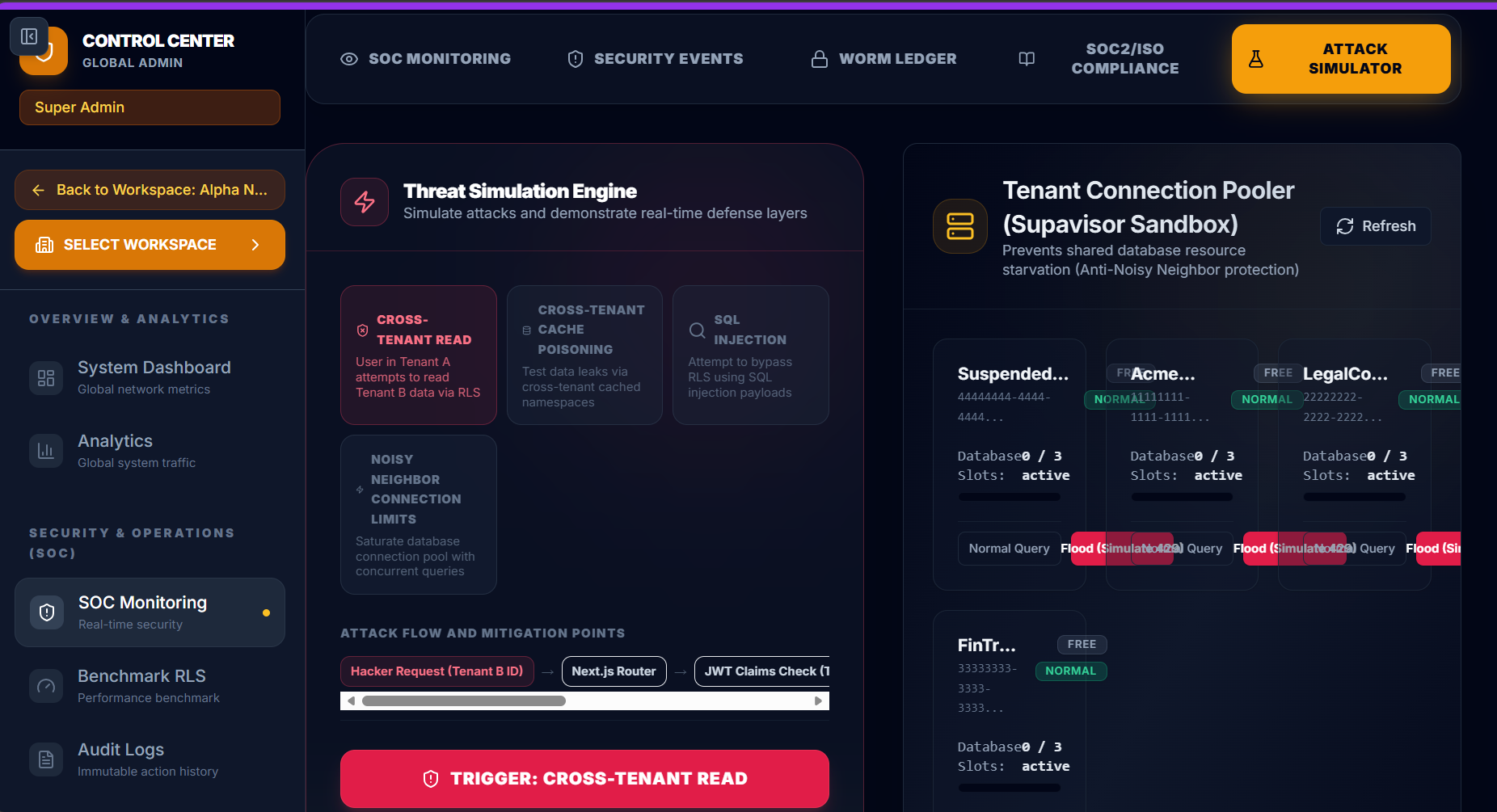
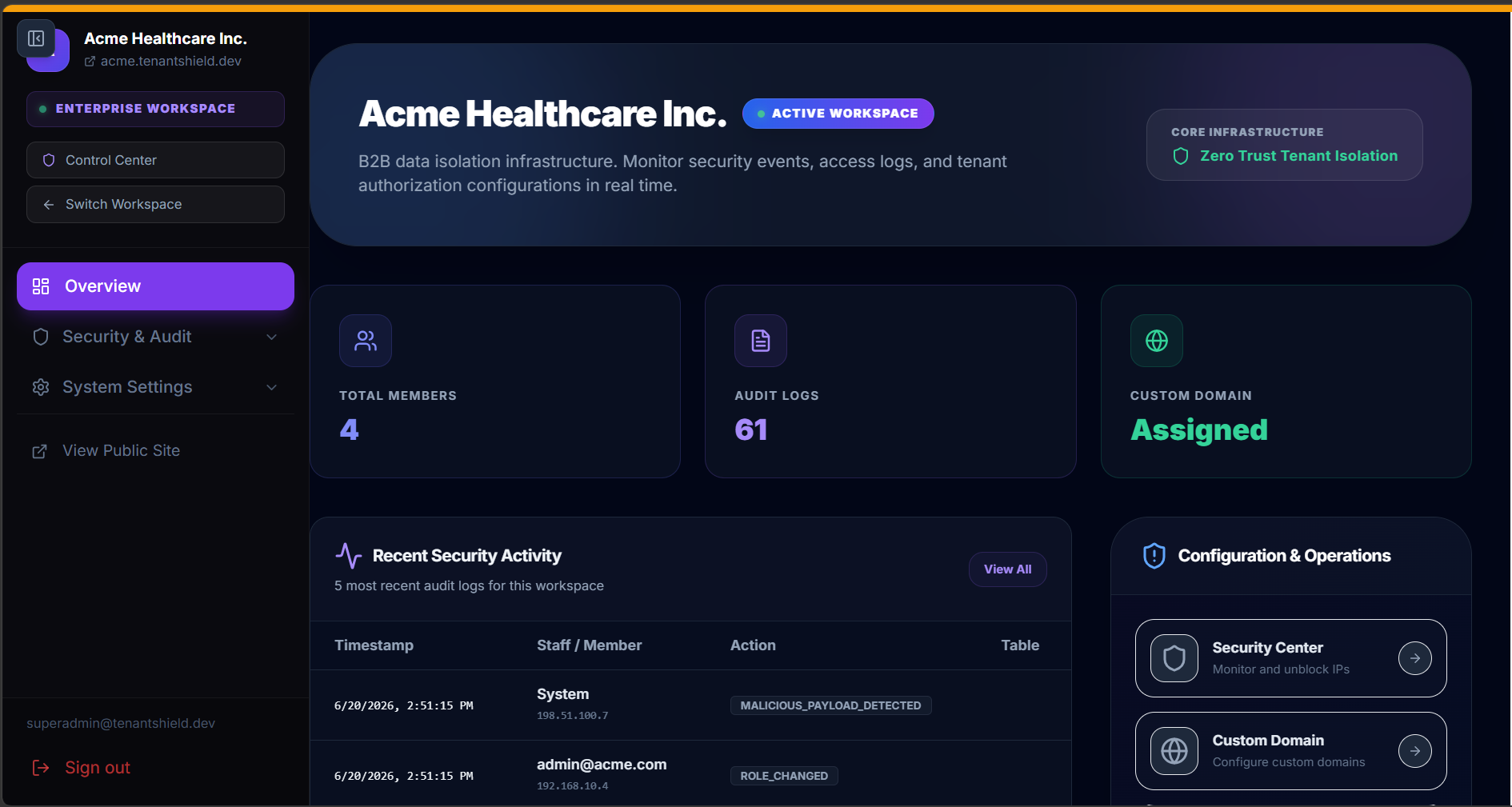
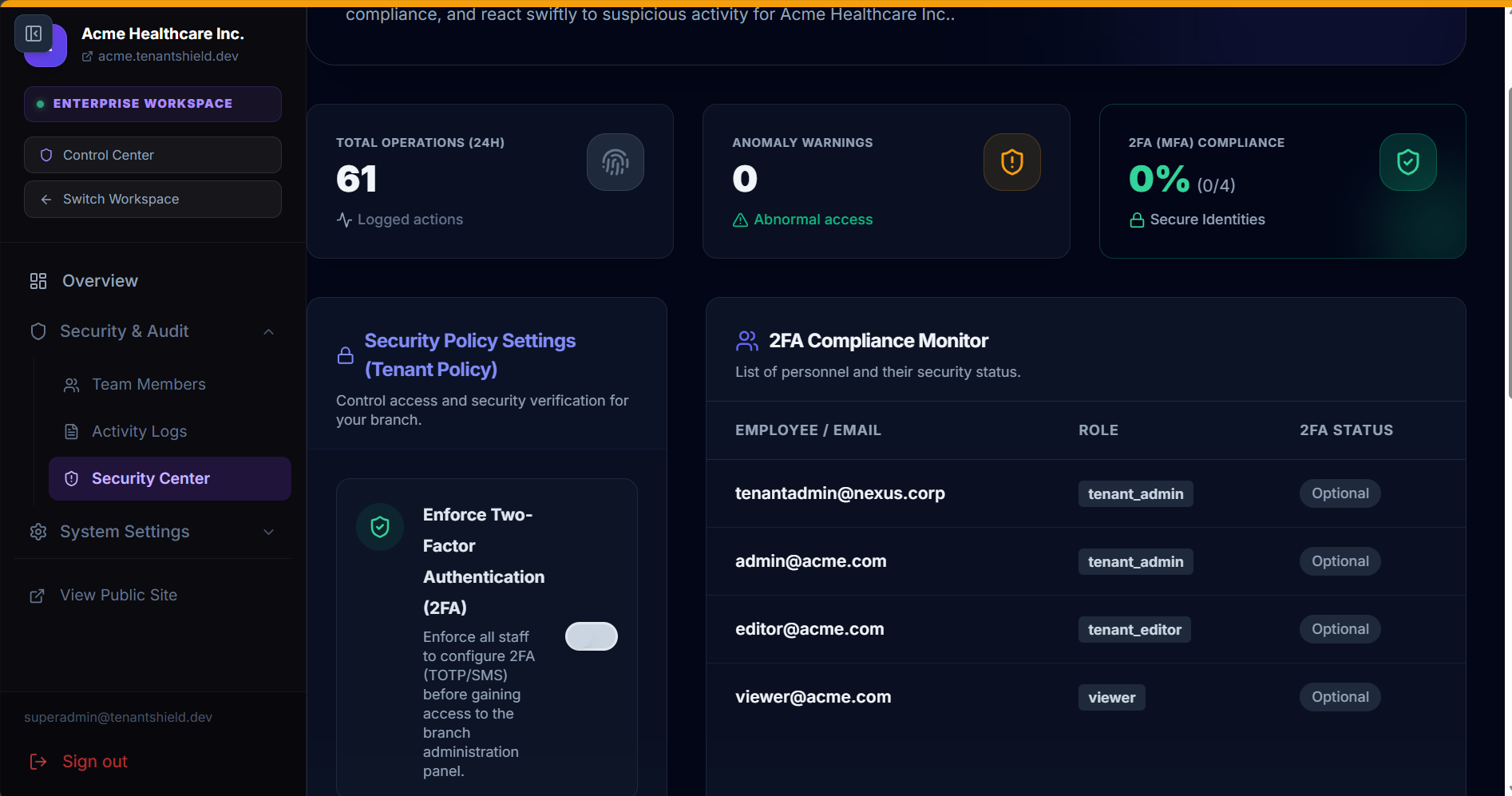
🌐 System Topology & Data Flow
TenantShield utilizes a high-performance, edge-first architecture. Traffic flows through Next.js Edge Middleware, querying a global Upstash Redis cache for rate limits and tenant states in less than 4ms, before forwarding sanitized requests to the Supabase PostgreSQL database where FORCE RLS and triggers ensure security.
Upstash Redis caches tenant whitelist states and IP health flags at Edge locations. Benign IPs bypass Redis database calls for up to 15 seconds (negative caching), ensuring maximum throughput under DDoS conditions.
📊 Database Schema & Entity Relationship
The core of TenantShield is its strict PostgreSQL database schema. The diagram below details how Tenant memberships, roles, transactions, blocked IPs, immutable audit logs, and AI RAG knowledge documents are mapped and isolated.
🔒 Row-Level Security (FORCE RLS)
TenantShield uses PostgreSQL RLS to isolate tenant datasets. This occurs directly inside PostgreSQL, completely bypassing any risk of application-level bugs exposing other clients' data.
-- Example of TenantShield FORCE RLS Policy
ALTER TABLE public.settings FORCE ROW LEVEL SECURITY;

CREATE POLICY tenant_isolation_policy ON public.settings
    FOR ALL
    USING (tenant_id = (SELECT get_current_tenant_id()));
Every tenant session passes custom JWT claims containing the tenant_id. The database dynamically filters records during reads, writes, and updates.
🛡️ WORM (Write Once, Read Many) Immutable Logs
To fulfill regulatory audits (SOC2 compliance), logs must never be tampered with or deleted by anyone — including administrators.
TenantShield binds an immutable trigger to the audit_logs table. Any update or delete attempt throws a database exception:
CREATE OR REPLACE FUNCTION public.prevent_audit_log_tampering()
RETURNS TRIGGER AS $$
BEGIN
    RAISE EXCEPTION 'Audit log entries are WORM (Write Once, Read Many) and cannot be updated or deleted.';
END;
$$ LANGUAGE plpgsql;
⚡ Edge Active Defense & Rate Limiting
Traditional server security filters threats late in the request pipeline. TenantShield blocks threats before they hit your app using Vercel Edge Middleware and Upstash Redis caching.
- IP Rate Limiter: Tracks requests per second. Suspicious spikes trigger an automatic edge block.
- Tenant Isolation Enforcer: Suspended tenants are instantly blocked at the edge, returning a
403 Forbiddenwithin 4ms without database roundtrips.
🔍 Troubleshooting
My IP was blocked by Active Defense
Active defense blocks malicious IPs. During development, Middleware automatically bypasses local requests from localhost:3000. If you get blocked in staging/production, run this SQL script in Supabase to release your IP:
DELETE FROM public.blocked_ips WHERE ip = 'your-actual-client-ip';SUBDOMAIN ROUTING NOT WORKING LOCALLY
Local desktop environments cannot route wildcard domains (e.g. tenant.localhost:3000). You must pass the tenant ID via a query parameter for local development: http://localhost:3000?tenant=[tenant-subdomain].
📜 License Agreement
By using this boilerplate code, you agree to the standard marketplace license terms:
- Regular License: Permits installation in exactly 1 commercial or personal project. Re-distributing the starter kit source code as-is is strictly prohibited.
- Extended License: Allows integration inside commercial SaaS templates or building client products. Reselling as a competing boilerplate is not allowed.